The TODO List Nobody Maintains
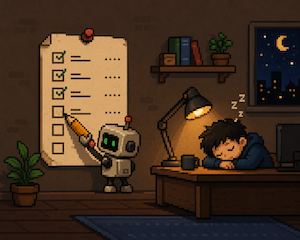
The TODO List Nobody Maintains
Part of Building GribGrab — a series on what I learn building a weather app with Claude Code.
While building my weather app, I did the thing everyone does: I started a TODO.md.
It was great for a week. Then I stopped using it.
Three reasons it stopped working
1. My new ideas were better than the old ones. Every time I sat down to work, I had a fresh idea. It was usually more interesting than anything already on the list. So I’d chase the new thing, and the old items just sat there getting older.
2. The list never showed up. It was a file in a folder. To see it, I had to remember it existed and go open it. I never did. Out of sight, out of mind — so when I started working, the list wasn’t in my head at all.
3. Keeping it updated took time. Checking off done items, adding new ones, cleaning out stale ones — that’s work. Work with no payoff. So I skipped it, and after a while the list didn’t match reality anymore.
Once a list stops matching reality, you stop trusting it. Once you stop trusting it, it’s dead.
The fix: let the assistant do it
I work inside Claude Code all day. It already has everything it needs to keep the list honest: my commits (what I actually did), my TODO file (what I said I’d do), and today’s date (how long each item has been sitting there). Keeping the list honest is just comparing those — including each item’s age against the clock.
That’s a chore, not a decision. So I gave it away. No new habit, no discipline. I tied it to two moments that happen on their own anyway: opening the project and committing code.
Here’s how each of the three problems got solved.
Problem 2 first: make the list show up
This was the big one. I made the list appear every single time I open the project — before I do anything else.
A hook in .claude/settings.local.json hands Claude the list, today’s date, and my recent commits, and asks it to brief me:
{
  "hooks": {
    "SessionStart": [
      {
        "matcher": "startup|resume",
        "hooks": [
          {
            "type": "command",
            "command": "echo 'Compare TODO.md against the recent commits, then tell me: what got done, what is stale (open more than 14 days, or marked ⏳), what is missing, and what to archive (done more than 30 days ago).' && echo '--- today ---' && date +%Y-%m-%d && echo '--- TODO.md ---' && cat TODO.md && echo '--- last 15 commits ---' && git log -15 --pretty=format:'%ad %s' --date=short"
          }
        ]
      }
    ]
  }
}
Now I can’t miss it. Every session opens with: here’s what shipped, here’s the thing you’ve been ignoring for three weeks, here’s what you meant to do and never wrote down. The list is the first thing in my head, not a file I forget.
Problem 3: stop spending time on it
The same hook does the cleanup. Claude moves finished items to Done, stamps the dates, and sweeps anything done more than 30 days ago into an archive file. I don’t touch it.
A second hook keeps it current as I go. After every commit, it checks whether the commit finished anything on the list and updates it:
{
  "PostToolUse": [
    {
      "matcher": "Bash",
      "hooks": [
        {
          "type": "command",
          "command": "python3 -c \"import sys,json; d=json.load(sys.stdin); cmd=(d.get('tool_input') or {}).get('command','') or ''; print(json.dumps({'hookSpecificOutput':{'hookEventName':'PostToolUse','additionalContext':'A git commit just landed. If it finished a TODO.md item, move it to Done (done: today), add any follow-ups (added: today), and flag stale items. Do nothing if none of this applies.'}})) if 'git commit' in cmd else None\""
        }
      ]
    }
  ]
}
It runs after every command but stays silent unless the command was a git commit. Maintenance cost: basically zero.
Problem 1: catch the good new ideas
The new ideas were the whole reason I kept ignoring the list — so now I make sure they get caught instead of lost.
At my desk, a fresh idea goes straight into the list, stamped with today’s date. Away from my desk it’s harder, so I lean on two simple tools: a single note pinned in Notesnook for anything I can type, and AudioPen when my hands are busy — I just talk, and it transcribes. Later, those ideas get folded into the list too.
Either way, next time I open the project the new idea is right there in the briefing next to everything else, dated, so I can see what’s fresh and what’s been waiting.
The thing that used to kill the list now feeds it.
What makes it work: dates
The whole thing runs on one simple rule — every item has dates:
- [ ] Fix pressure bug — wrong at altitude (added: 2026-06-20)
- [ ] ⏳ Decide on the logo (added: 2026-06-04)
- [x] Indexable city pages (done: 2026-06-08)
Dates are what let a machine handle it. Claude doesn’t have to guess whether something’s old — it just subtracts two dates. “Stale” stops being a feeling and becomes math.
What changed
The list went from a graveyard to a dashboard. I open the project and the first thing I see is the truth: what moved, what’s stuck, what I’m avoiding. I haven’t checked off a box by hand in weeks.
The bigger lesson: if you have to remember to do the upkeep, you won’t. Tie it to something that already happens, give it a format a machine can read, and let the machine do the boring part.
Takeaways
- A list dies the moment it stops matching reality.
- When trust goes, the list goes. Catch it lying once and you stop opening it — and a list you don’t open is already dead.
- Don’t rely on discipline. Tie upkeep to events you can’t skip — opening the project, committing code.
- Make the list show up on its own. A file you have to remember is a file you’ll forget.
- Use dates. They turn “is this stale?” into simple math a machine can do.
When did you last trust your own TODO list? Mine I ignored for years — until I stopped being the one keeping it.
Thanks for reading! If you'd like to share your thoughts send me an email.